Guides · Everyday
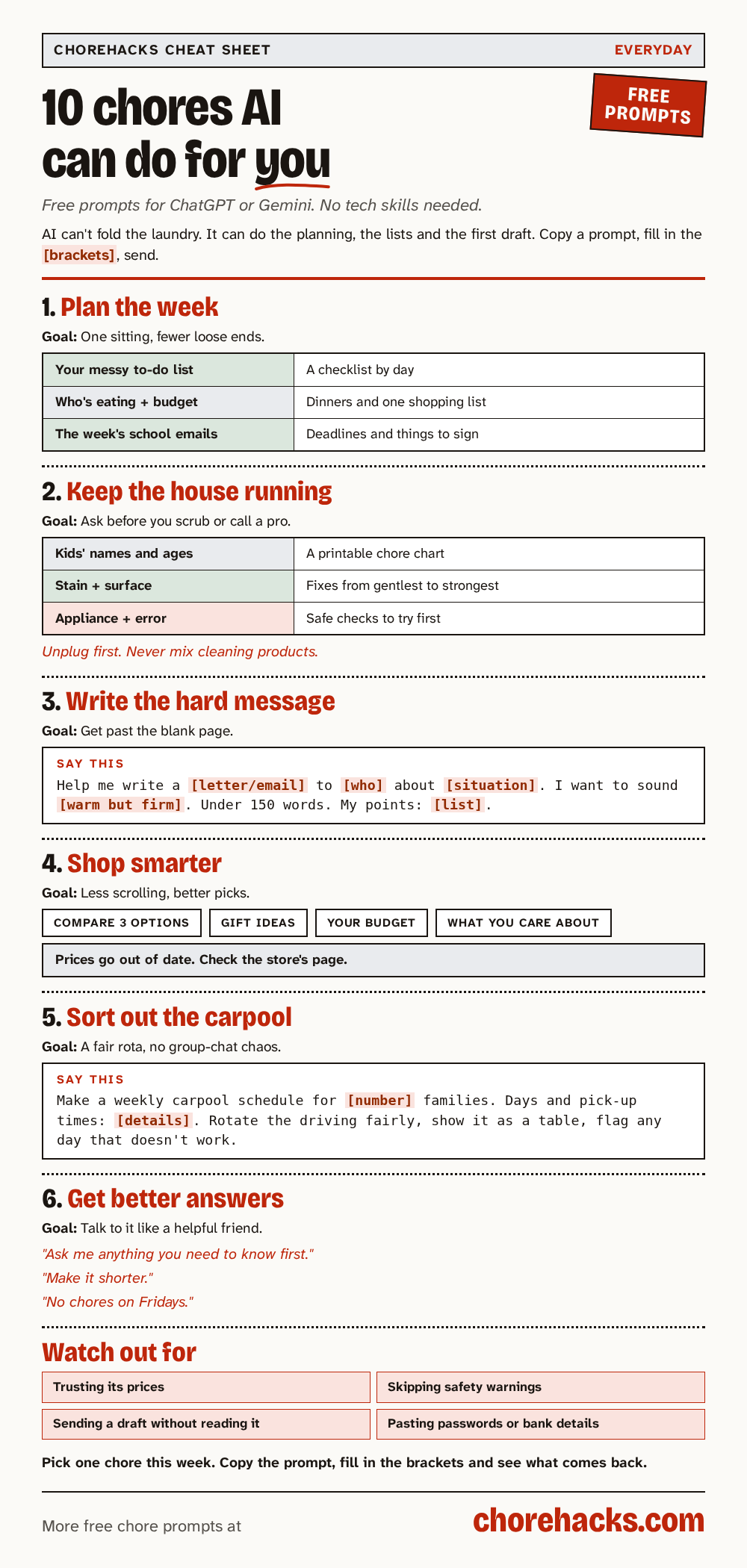
10 chores AI can do for you
A free AI app like ChatGPT or Gemini can do the thinking part of many chores, like planning, sorting, making lists and writing the first draft. Here are ten everyday jobs it can help with, each with a prompt to copy.
By ChoreHacks · 5 min read · Published · Updated
AI can't fold the laundry. It can do the thinking part of a lot of chores, like planning, sorting, making lists and writing the awkward first draft. That's often the part we put off.
Here are ten everyday jobs a free AI app like ChatGPT or Gemini can do for you, or at least get you started on. Each one comes with a ready-made prompt. A prompt is the message you type into the AI app. Copy it, change the parts in [brackets] to fit your life and send it.
You don't need any tech skills. If you've never used an AI app, our start-here page shows you how to get one on your phone.
1. Turn the week's to-dos into a plan
Everything on your mind goes in as one messy list. A checklist sorted by day comes back, with errands in the same part of town grouped together and anything with a deadline at the top.
Turn errands and to-dos into a checklist
A jumble of tasks becomes a short list for each day.
Here is everything on my mind this week: [paste messy list]. Sort it into a checklist by day, group errands that are in the same area, and put anything with a deadline first. Ask me if you need more detail.Swap the highlighted parts for your own details.
It doesn't know the roads or opening hours where you live, so check anything with a deadline yourself.
2. Plan the week's dinners and the shopping list
Tell it who's eating and what you can spend, and it plans the meals and writes one grocery list to match.
Make a weekly meal plan and grocery list on a budget
Plans the week's meals and builds the grocery list in about 2 minutes.
Create breakfast, lunch, dinner, and snack recipes for Monday to Friday for [number] people. Budget is $[amount]. Do not include [foods]. Keep it fairly healthy. Then give one combined grocery list, and double-check that every item on the list is used in a recipe and every recipe ingredient is on the list.Swap the highlighted parts for your own details.
Its prices are guesses. Check them in your store's app. For the full method, read how to use AI to plan a week of dinners.
3. Read the school emails for you
School emails pile up, and the one that matters is usually the one you skimmed. Paste in the week's messages and get the important items, every deadline and anything to sign or bring.
Turn school emails into a short morning list
You stop missing the one email that mattered.
Here are this week's emails from my child's school: [paste]. List the three most important items, every deadline, and anything I need to reply to, sign, or bring. Mark anything that was unclear in the original.Swap the highlighted parts for your own details.
It can miss a date. Open the original email for anything that really matters, like a trip form or a payment.
4. Make a fair chore chart for the kids
Arguments about whose turn it is go down when everyone can see the chart. Give it the kids' names, ages and the chores, and it makes a table you can print and stick on the fridge.
Make a weekly chore chart for the kids
Makes chores clear and fair without arguing.
Create a weekly chore schedule for [kid names and ages], including [specific chores and days]. Keep chores age-appropriate and format it as a simple table I can print.Swap the highlighted parts for your own details.
It doesn't know your kids. Change anything that's too much or too little for them.
5. Work out how to shift a stain
Coffee on the carpet, a mark on the table, a pen stain on a shirt. Ask before you scrub. This prompt gets you a list of things to try with stuff you already have, from the gentlest to the strongest.
Get rid of a stubborn mark or stain
Tries the gentle fix first so you don't ruin the surface.
I have a [type of stain/mark] on my [material, e.g. painted wood table / carpet]. It's been there [how long]. What should I try first with household items, in order from gentlest to strongest? Remind me to spot-test.Swap the highlighted parts for your own details.
Test on a hidden spot first, and never mix cleaning products. Bleach mixed with some other cleaners gives off dangerous fumes.
6. Figure out what's wrong with an appliance
When the washing machine won't drain or the dishwasher shows an error code, the fix is sometimes simple. Give it the model and what's happening, and it lists the likely causes and which checks are safe to do yourself.
Diagnose a broken appliance before calling a repair person
Can save a service call fee on easy fixes.
My [appliance] model [model number] is [symptom, e.g. not draining / showing error E4]. [Attach photo if useful.] What are the most likely causes, which ones can I safely check myself, and step by step how? Tell me when I should stop and call a pro.Swap the highlighted parts for your own details.
Unplug the appliance before you check anything, and stop where it tells you to call a pro. Anything with gas or mains wiring is a job for a professional.
7. Write the message you've been avoiding
A note to a neighbor about the noise. A reply to a family member. A letter you've been meaning to write for weeks. Tell the AI who it's for, what you need to say and how you want to sound.
Draft a tricky personal letter or email
Gets past the blank page on messages you've been avoiding.
Help me write a [letter/email] to [who] about [situation]. I want to sound [tone, e.g. warm but firm]. Keep it under 150 words. Here are the points I need to make: [list].Swap the highlighted parts for your own details.
Read the draft out loud and change anything that doesn't sound like you. It's your message. The AI just gets you past the blank page.
8. Compare things before you buy
Picking a vacuum, a kettle or a pair of headphones can eat an evening. Give it your budget and what you care about, and it puts the top options side by side.
Compare products before you buy
Puts the products you're weighing side by side in one table.
I want to buy a [product] for [use]. My budget is $[amount] and I care most about [features]. Compare the top 3 options side by side and tell me which fits me best and why.Swap the highlighted parts for your own details.
Prices and model details can be out of date, so read recent reviews and check the price on the store's own page.
9. Come up with gift ideas
Birthdays sneak up. Describe the person, their age, what they like and your budget, and you get a list of ideas that mixes things to buy with things to do.
Find birthday gift ideas
Gives you gift ideas that fit the person, even at the last minute.
Give me 10 birthday gift ideas for my [relation], who is [age] and loves [interests]. Budget $[amount]. Mix things to buy with experiences, and skip generic gifts.Swap the highlighted parts for your own details.
Some ideas may not exist or may cost more than you think. Check each one before you order.
10. Sort out the carpool
Working out who drives on which day for several families takes a lot of texting. Give it the days and pick-up times, and it builds a fair rota as a table and flags any day that doesn't work.
Set up a carpool schedule
Everyone sees the same fair schedule.
Make a weekly carpool schedule for [number] families. Here are the days and pick-up times for each child: [details]. Rotate the driving fairly, show it as a simple table, and flag any day that does not work for someone.Swap the highlighted parts for your own details.
Check it against everyone's real plans and share it with the other families before anyone relies on it.
How to get better answers
The same few tricks help with every chore on this list.
- Give details. "2 kids, 7 and 10, both hate vacuuming" gets a better chore chart than "my kids."
- Talk back. If the answer isn't right, say what to change. "Make it shorter," "no chores on Fridays" and "use simpler words" all work.
- Ask it to ask you. Add "Ask me anything you need to know first" to the end of any prompt.
- Keep private details out. None of these chores need your address, bank details or passwords.
What AI is bad at
It's worth knowing where it slips.
- It doesn't know today's prices, opening hours or what's in stock.
- It can sound sure and still be wrong.
- It can't see your home or your family, so it only knows what you tell it.
So use it for the thinking and the first draft, and check anything that involves money, safety or a deadline.
Quick answers
Is it free?
Yes. Every prompt here works on the free version of ChatGPT, Gemini, Claude or Grok. Free plans can have daily limits.
Which AI app should I use?
Any of them. The prompts are written to work in all the big free apps. Use the one you already have.
Do I need to sign up for anything on ChoreHacks?
No. Copy a prompt and go. The email signup below is optional.